I moved a 128 GB VM from VMware ESXi to Proxmox VE 9.2 in about 90 minutes, and only 31 of those minutes were the actual transfer. The VM runs Libation, the app I use to back up my Audible library as DRM-free files, so losing it was not an option.
My ESXi 7.0 host had been running unpatched for over a year, on a box with 8 GB of RAM that was 89% used. Proxmox VE now ships a built-in ESXi import wizard, so I wanted to see how close to painless a real migration could be. Here is what worked, what tripped me up, and the numbers.
The short version:
- 128 GB virtual disk, imported in 30 minutes 40 seconds over gigabit (about 71 MB/s)
- It landed as only 68 GB on disk, because thin provisioning carried through
- Networking came up on its own after the NIC was renamed
- Two networking issues cost me more time than the import itself
The setup
Both machines are small Lenovo ThinkCentre Tiny PCs, plugged straight into a UniFi Dream Machine Pro while I wait on a new switch.
| Source | Target | |
|---|---|---|
| Machine | ThinkCentre M93p Tiny | ThinkCentre M900 Tiny |
| CPU | i5-4570T (2 cores, 4 threads) | i5-6500T (4 cores) |
| RAM | 8 GB | 8 GB (32 GB on order) |
| Hypervisor | ESXi 7.0 Update 3 | Proxmox VE 9.2 |
| Storage | One 800 GB datastore | 256 GB SATA SSD for the OS, 1 TB NVMe for guests |
| Network | VLAN 1 (Default) | VLAN 50 (Servers) |
On the Proxmox side, the OS lives on the SATA SSD and every VM lives on an LVM-Thin pool on the NVMe. Reinstalling Proxmox never touches the guests.
The VM itself is Debian 12 with a GNOME desktop, running the native Linux build of Libation. It holds 134 audiobooks.
Prerequisites and two gotchas:
The importer has three requirements. The VM must be powered off, it must have no snapshots, and the Proxmox host must be able to reach the ESXi host on port 443.
To check snapshots in ESXi, open the VM, then Actions → Snapshots → Manage snapshots. A clean VM shows only "You are here." If "Restore snapshot" is greyed out in the menu, you are already good.
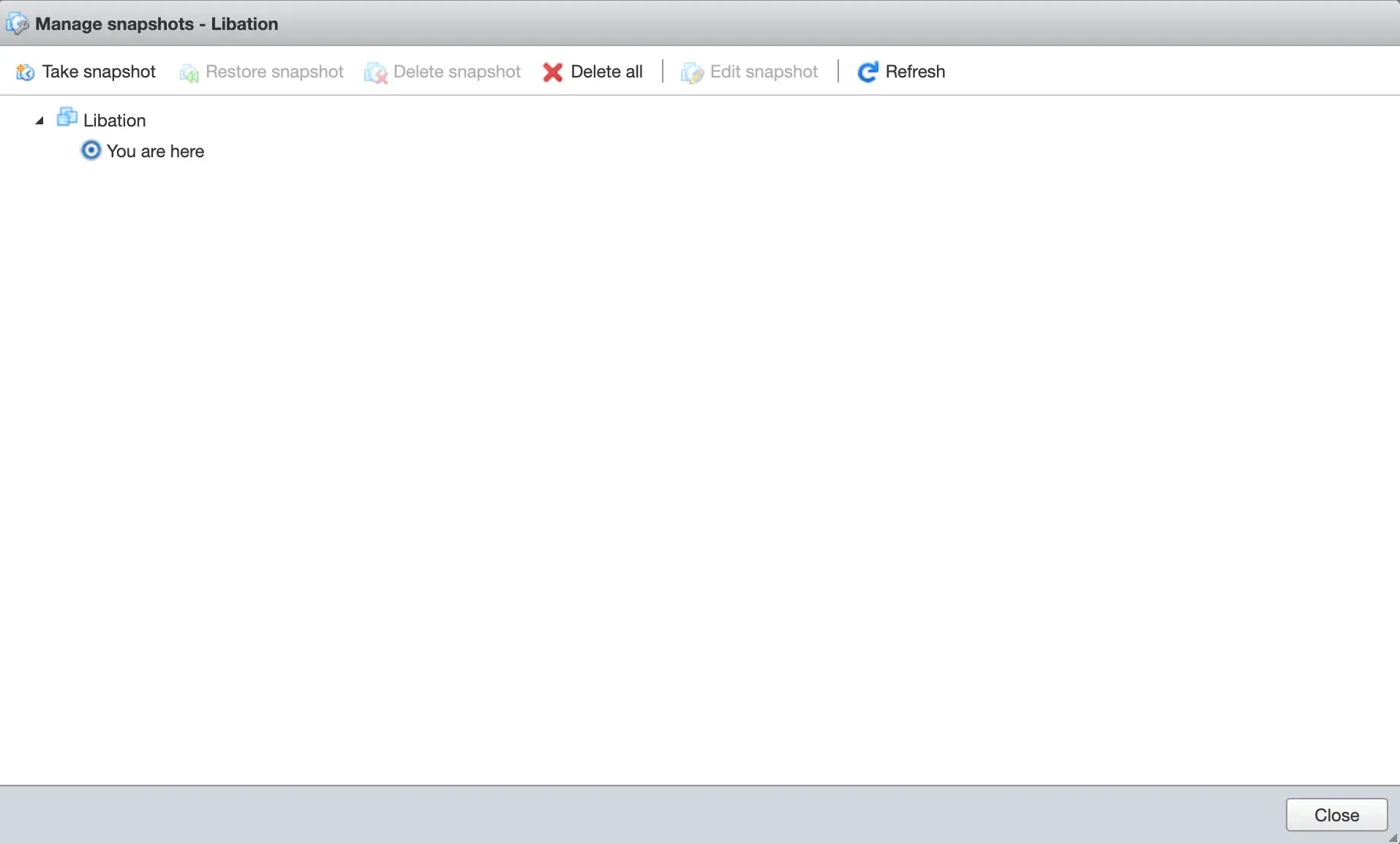
To check reachability, run this from the Proxmox shell:
curl -k -s -o /dev/null -w "%{http_code}\n" https://<esxi-ip>Any HTTP code, such as 200, means you can proceed. A timeout means something is in the way. In my case, two things were.
Gotcha 1: "Isolate Network" blocks cross-VLAN imports
My Servers VLAN had UniFi's Isolate Network setting enabled. It blocks the network from talking to any other VLAN, so Proxmox on VLAN 50 could not reach ESXi on VLAN 1.
I turned isolation off for the import. Long term, I am replacing it with explicit firewall policies. Isolation is all-or-nothing, and it would also block things I need later, such as every VLAN reaching my Pi-hole DNS servers.
Gotcha 2: don't move ESXi to a new VLAN unless you have a monitor handy
My first idea was to move the ESXi host onto the Servers VLAN. It never got an IP address, and the box is headless in my rack.
The cause: ESXi's management port group was tagging its traffic with a VLAN ID, while the switch port expected that VLAN untagged. The switch silently dropped the frames.
I put ESXi back on its original port and imported across VLANs instead. Routing between VLANs already worked, so there was no reason to move it at all.
The import, step by step
The wizard does the heavy lifting. You add ESXi as a storage source, pick the VM, and adjust a handful of settings.
- Go to Datacenter → Storage → Add → ESXi. Enter an ID such as
esxi, the ESXi host's IP, and its root credentials. Check Skip Certificate Verification, since ESXi uses a self-signed certificate. - Select the new esxi storage in the left tree. Every VM on the host appears under Virtual Guests as a
.vmxfile. - Select the VM and click Import.
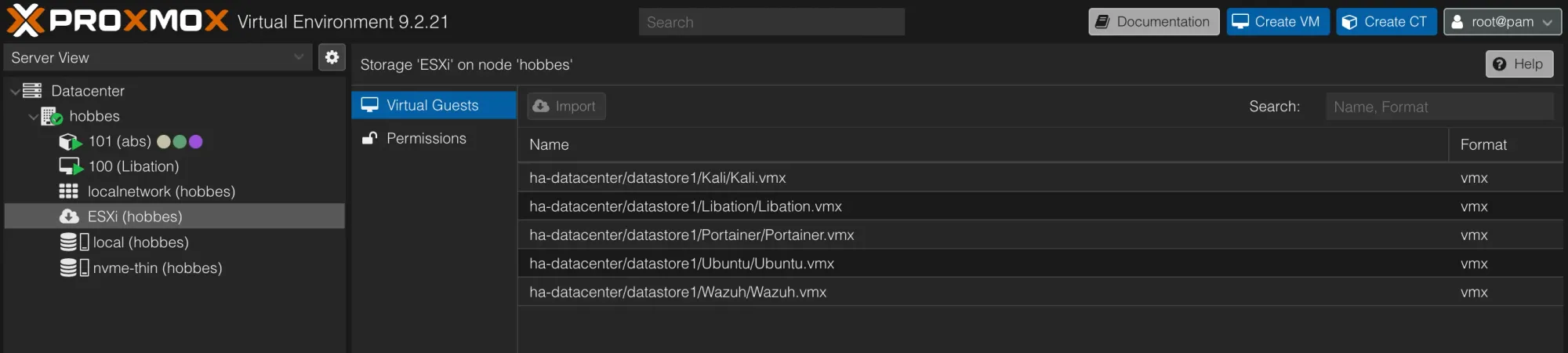
The settings I changed
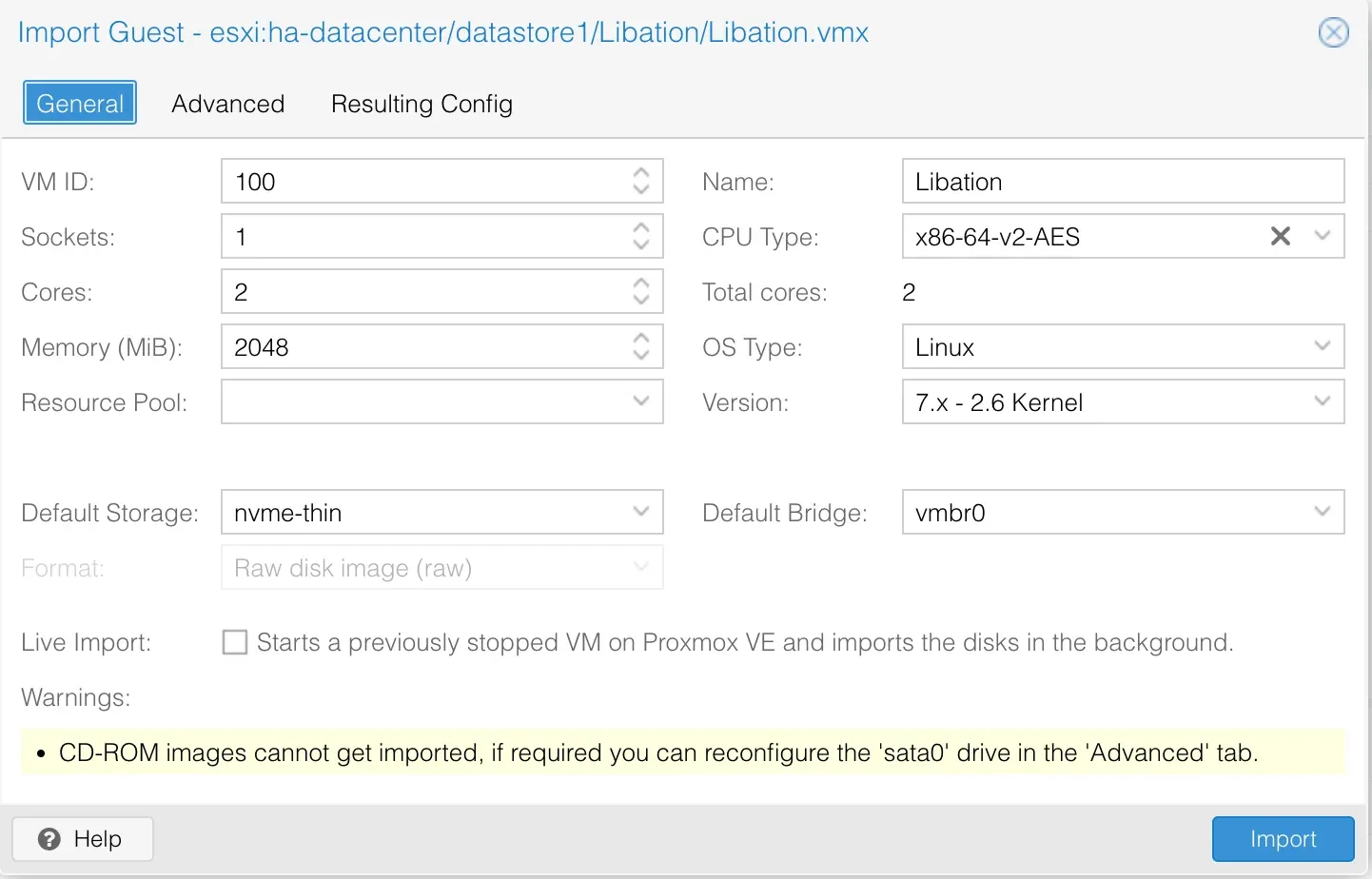
The defaults are mostly sensible, but a few needed attention.
| Setting | Default | What I chose | Why |
|---|---|---|---|
| Default Storage | local | nvme-thin | local is the small OS disk. Guests belong on the NVMe pool. |
| Memory | 4096 MiB | 2048 MiB | The host has 8 GB until the RAM upgrade, and Libation is light. |
| Cores | 1 | 2 | Libation's audio conversion benefits from a second core. |
| CD/DVD (sata0) | Present | Removed | CD-ROM images can't be imported anyway, and it clears the warning. |
| NIC model | VMware vmxnet3 | VirtIO | Faster, and Debian has the driver built in. |
| SCSI controller | VMware PVSCSI | Left as is | Debian has the driver, so it boots cleanly. Switch later if you want. |
The Resulting Config tab shows exactly what the VM will look like. I checked that the disk line read nvme-thin:0,import-from=esxi:... before clicking Import.
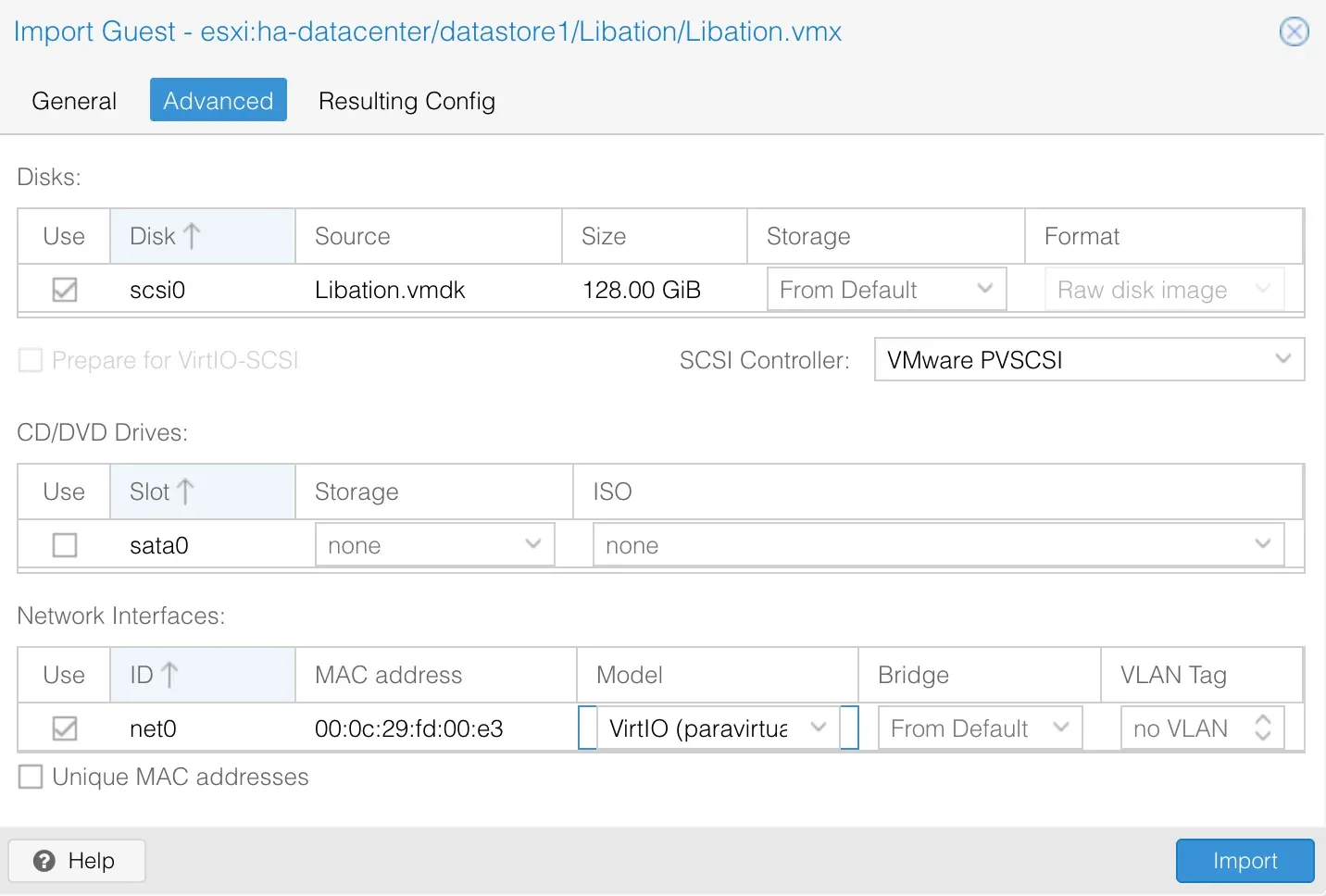
One thing worth knowing: the importer keeps the original MAC address by default. That is handy, because DHCP reservations keep working. Just never run the old ESXi copy and the new Proxmox VM at the same time.
Before the first boot
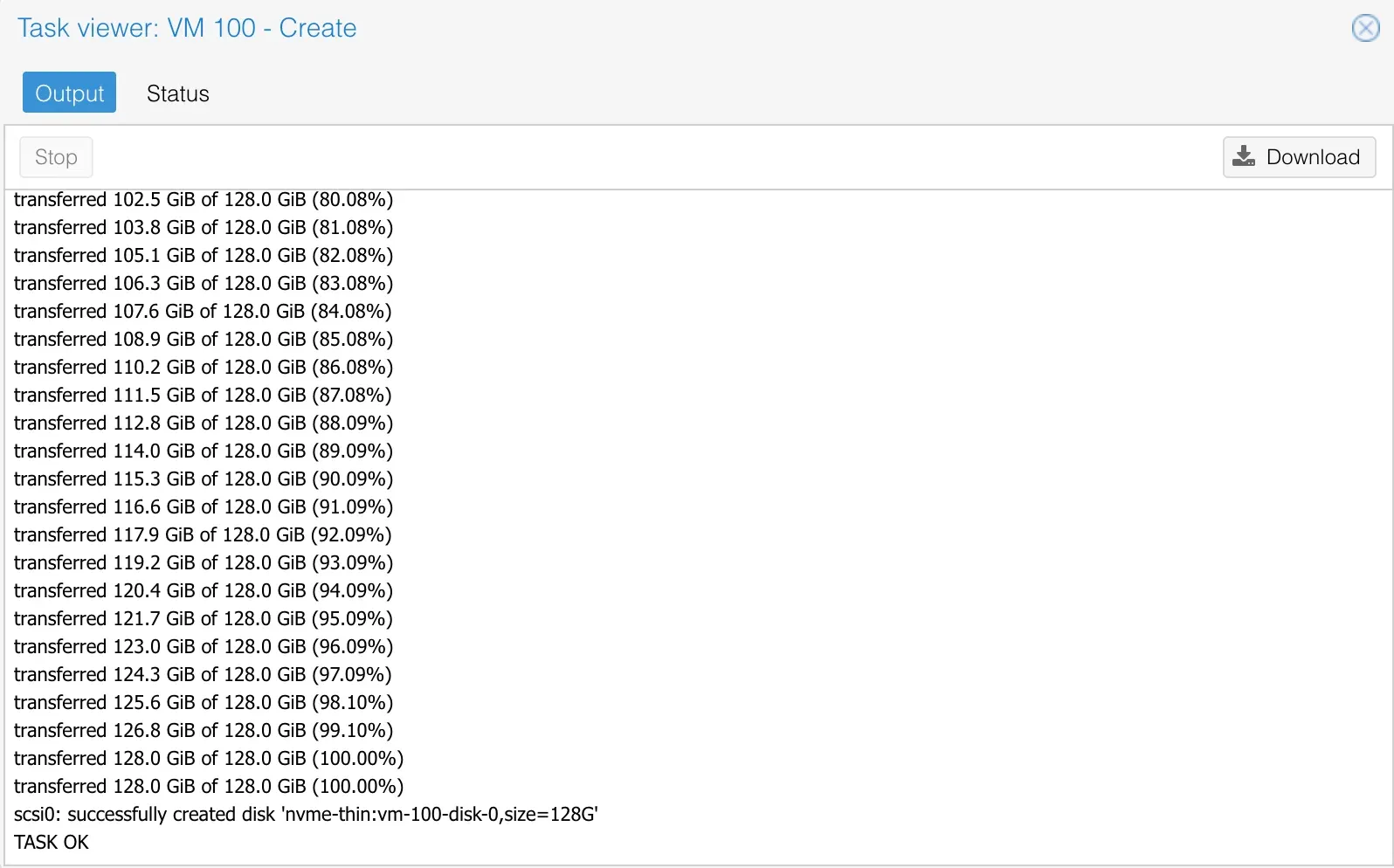
The import finished in 30 minutes 40 seconds, with the task log ending in TASK OK. Before starting the VM, I made three small changes.
- Boot order. The imported config still listed the removed CD drive. Under Options → Boot Order, I left only
scsi0enabled. - QEMU Guest Agent. Under Options → QEMU Guest Agent, I enabled it, along with Run guest-trim after a disk move or VM migration. Enabling it before the first boot means the agent device is there as soon as the software is installed.
- Discard. Under Hardware → scsi0, I checked Discard. On thin storage, this lets the VM hand freed space back to the pool.
I also set Start at boot to Yes, so Libation comes back on its own after a power outage.
First boot: networking fixed itself
The VM booted straight into GNOME on the first try. I expected to fix the network by hand, and I didn't have to.
The NIC changed name from its VMware-era name to ens18, which is the usual source of a broken network after a migration. But this VM uses NetworkManager, as most desktop installs do, and it simply configured the new interface automatically. The VM picked up its DHCP reservation on the first try.
$ ip -br a
lo      UNKNOWN  127.0.0.1/8 ::1/128
ens18   UP       10.1.50.13/24
Before booting, I had moved the VM's UniFi reservation from its old Core address to 10.1.50.13. Because the importer kept the MAC address, the reservation matched immediately.
If your VM uses /etc/network/interfaces instead, as Debian server installs do, look for the old interface name in that file and replace it with the new one.
Swapping VMware Tools for the QEMU agent
The VMware guest tools do nothing on Proxmox, so I replaced them:
sudo apt remove --purge open-vm-tools open-vm-tools-desktop
sudo apt autoremove
sudo apt install qemu-guest-agent
sudo reboot
The install prints "qemu-guest-agent.service is a disabled or a static unit, not starting it." That is normal. The agent starts at boot when Proxmox's agent device is present. After the reboot, the VM's Summary page in Proxmox showed its IP address, which confirms the agent is talking to the host.
While I was there, I also caught up on 322 pending Debian updates.
Thin provisioning carried through
The 128 GiB virtual disk takes only 67.65 GB on the NVMe pool, about 7% of the 993 GB available. The importer skipped the empty blocks instead of writing 128 GiB of zeros.
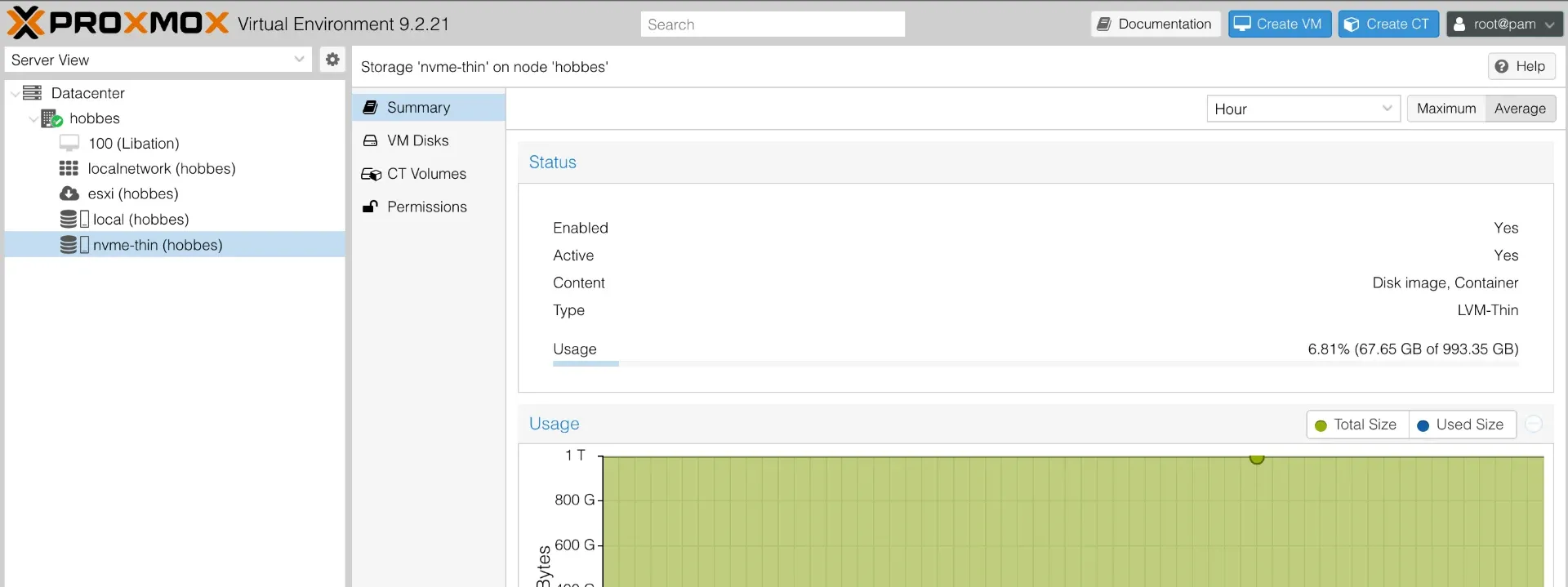
I expected to reclaim space with fstrim, so I ran it after installing the agent:
$ sudo fstrim -av
/: 65.3 GiB (70075269120 bytes) trimmed on /dev/sda1
That looks dramatic, but pool usage barely moved, to 67.75 GB after the updates. The first fstrim always reports all free space as trimmed, because the filesystem doesn't know what the storage underneath already had. Here, the importer had already left those blocks unallocated.
So fstrim didn't save anything today. What it does do, now that Discard is on, is keep the pool lean as files get deleted over time.
Bonus: a two-version upgrade behind a 9-second snapshot
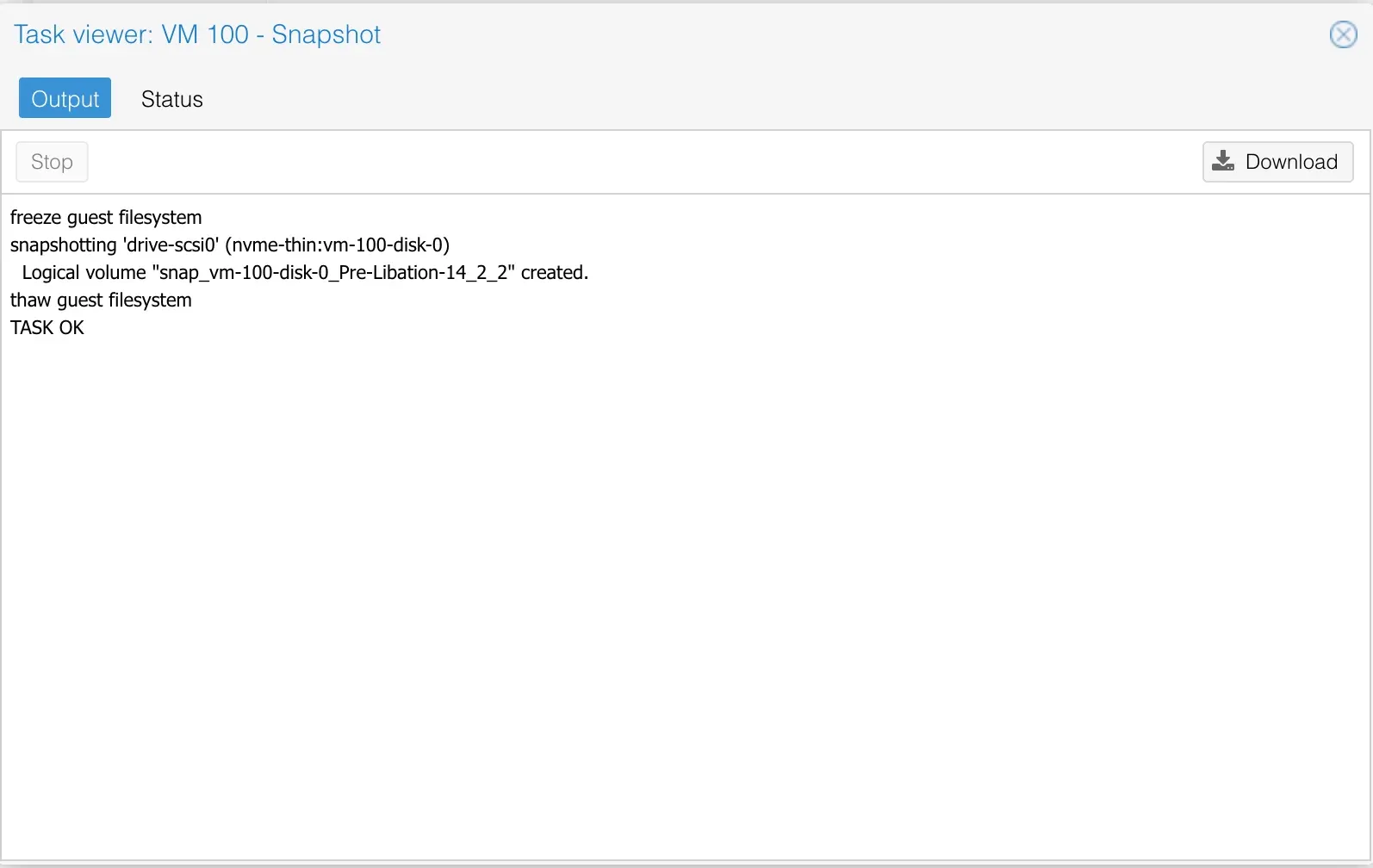
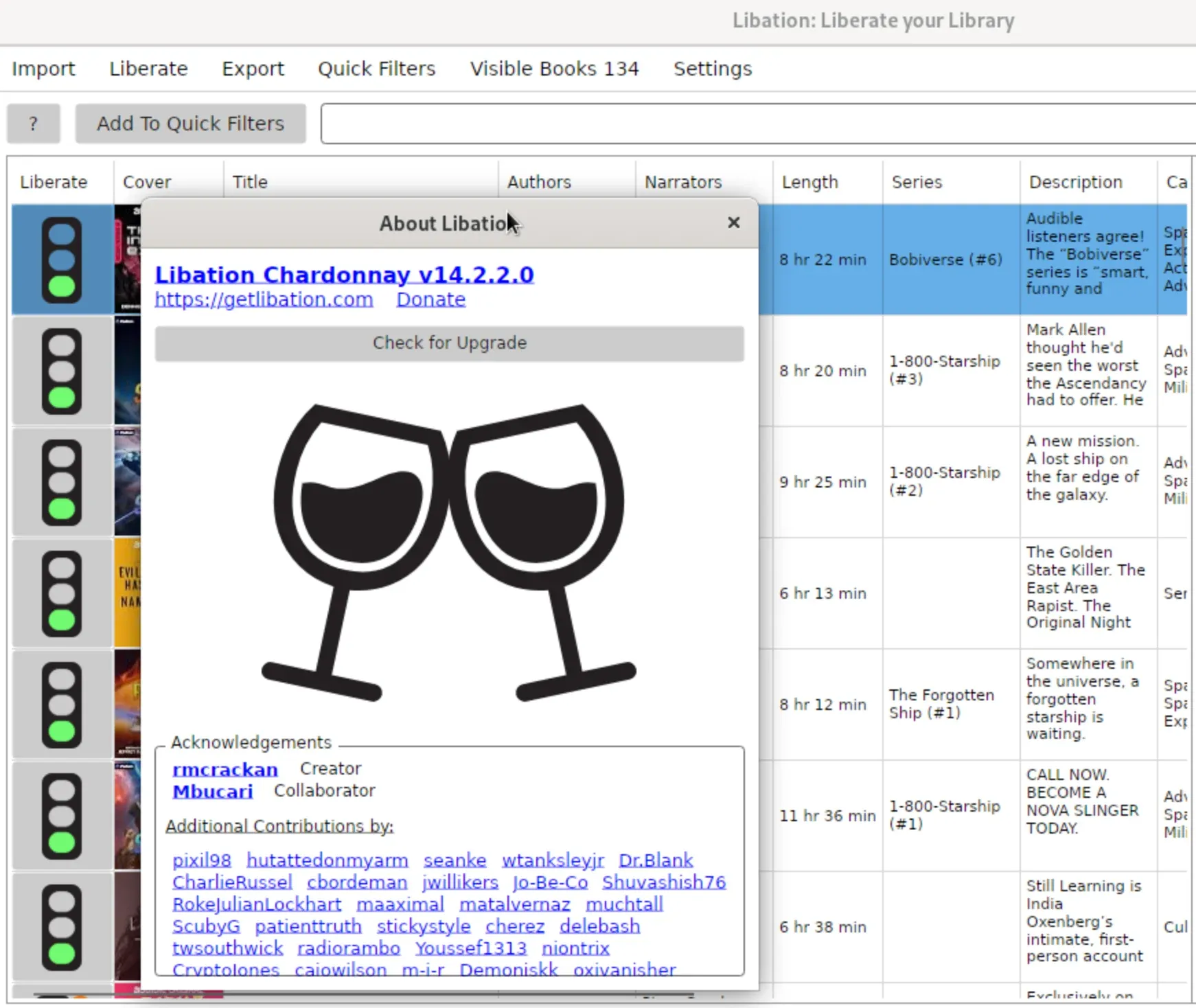
When I opened Libation to verify the library, it offered an update from 12.2.0 to 14.2.2. That is two major versions, which is exactly when you want an undo button. On ESXi I would have hesitated. On Proxmox, a snapshot took 9.1 seconds.
The snapshot log also proved the guest agent was working. It showed freeze guest filesystem and thaw guest filesystem, which means Proxmox asked the agent to pause writes for a consistent snapshot.
Two small lessons:
- Snapshot names can't contain dots.
Pre-Libation-14.2.2is rejected. Use letters, numbers, hyphens, and underscores, likepre-libation-14_2_2. - Uncheck Include RAM for app updates. A disk-only snapshot is faster and smaller.
Libation's built-in updater downloaded the new .deb but couldn't install it, because installing a package needs root. Installing it by hand worked fine:
sudo apt install ./Libation.14.2.2-linux-chardonnay-amd64.debAfter confirming all 134 books were intact on the new version, I deleted the snapshot. Snapshots on LVM-Thin grow as data changes, so they are for short-term safety, not backups.
Where the 90 minutes went
Only about a third of the time was the copy itself. Most of the rest was one-time setup and cleanup.
Phase | Time |
|---|---|
Prep: firewall isolation fix, the ESXi VLAN detour, adding ESXi as storage | ~20 min |
Import (128 GiB at ~71 MiB/s) | 30 min 40 s |
Pre-boot settings: boot order, guest agent, Discard | ~5 min |
First boot, network check, guest tools swap, fstrim | ~10 min |
Debian updates (322 packages) and reboot | ~10 min |
Libation check, snapshot, app upgrade, cleanup | ~15 min |
The prep and cleanup are mostly one-time costs. Migrating a second VM from the same ESXi host should take roughly the import time plus 15 minutes.
The import averaged about 600 Mbit/s, roughly two-thirds of gigabit's practical ceiling. That seems typical for the ESXi import API.
Sidebar: when your MDM eats your local DNS
This one wasn't part of the migration, but it cost me an evening while setting up the Proxmox host, so it may save you one.
I gave the new host a local DNS name in UniFi. From my Mac, nslookup kept returning NXDOMAIN, even when I pointed it directly at the gateway. I checked the gateway's DNS configuration over SSH: the record was there, and queries made on the gateway itself resolved correctly.
The culprit was on the Mac. My Mac is managed by Mosyle, and its content filter runs as a DNS proxy. It intercepts every DNS query, including nslookup aimed at a specific server, and sends it to Mosyle's filtering resolvers. Those have no idea about local names.
The fix was a domain exclusion for my local domain in the Mosyle profile.
The lesson: when local DNS fails, run the same lookup on the DNS server itself. If it works there, the problem is on the client. Look for VPNs, DNS proxy apps, browser secure-DNS settings, and MDM content filters.
Lessons learned and what's next
The Proxmox ESXi importer is genuinely good. The parts that slowed me down were all networking, not the migration itself.
- Test reachability first. One
curlfrom the Proxmox host tells you whether a firewall or VLAN setting is in the way. - Import across VLANs rather than moving the ESXi host. Routing already works, and moving a headless host risks locking yourself out.
- Keep the MAC address, and move the DHCP reservation to the new network before the first boot.
- Expect the NIC to be renamed. NetworkManager handles it automatically;
/etc/network/interfacesneeds a one-line edit. - Enable the guest agent and Discard before the first boot. They are free wins on Proxmox.
- Take snapshots before risky changes, and delete them afterward.
I'm keeping the old ESXi copy powered off for a couple of weeks as a rollback. Next on the list:
- Audiobookshelf next to Libation, so I can stream the library to my phone. Libation can even upload to it directly.
- Upgrading the VM to Debian 13, with a snapshot as the safety net.
- Replacing "Isolate Network" with explicit firewall policies on the Servers VLAN.
- Converting the old ESXi box into a Proxmox sandbox, once the remaining VMs are sorted out.